Creating a new custom footer for Hive, using free software like GIMP and Inkscape. [ENG] / Creazione di un nuovo fondo pagina personalizzato per Hive, utilizzando programmi free come GIMP e Inkscape. [ITA]


Good evening Hive friends, today I had little free time, but in the evening I was able to dedicate myself to something I've had in mind for days. I wanted to personalize my Hive blog with a footer that had my own identity. I would like to gradually improve my blog, for myself first of all, because I care and loving to write and share my experiences, I want to do it correctly and as professionally as possible. I want to grow my profile, bringing more quality to Hive, also making Power UPs, I also have a project in mind that I will develop later to help other users, it's all just in my head for the moment, but I'm working on it.
Today I wanted to share my new layout at the bottom of the page that will reappear with every post, with social references and useful links for Hive, but let's talk about the new logo now. I have used two very interesting and very complete graphic programs, so much so that I have been using them for a long time and I still know very little about all the functions they have. One very important thing is that they are both completely free.
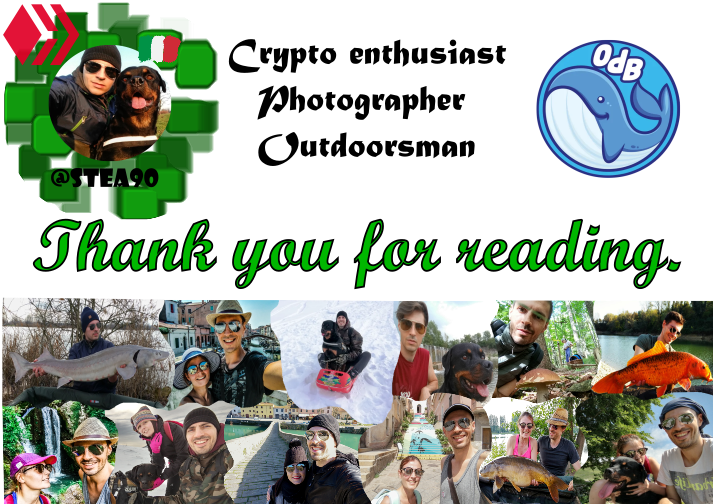
The first is GIMP, a digital image processing program, somewhat similar to Photoshop in terms of functions. You can load and develop digital camera RAW files, create images, animations and much more. I used it because of its many scissors functions to crop photos and create that decomposed mosaic of various images that represent me and my life.

The second program is Inkscape, which I adore, because your limit is only your imagination. It's a vector graphics program, where you can create images from scratch by modifying every single detail with nodes and working on layers, elaborating the smallest details being able to enlarge the image until you see a gigantic pixel. Every image I've created for my posts, where I've talked about crypto or Hive tips, I've always used this super versatile program.

In this case I created everything from there, once the crops were done in GIMP and copied to Inkscapa, working on the layers I composed the mosaic, uploaded the other images, such as the profile one, the ODB and Hive logo and the Italian flag . While that effect I created on the background of the logo, I used the filters function, where they are an exaggerated number, I don't even know a third of them and they create crazy effects. In this case I created a green elliptical under the profile picture location, selected it and clicked on the swarm/cubes (sciame/cubi on image) filter.

One thing I hadn't said yet, is that both programs can be enhanced by downloading new functions, but I think that they are already complete and complex as originals, so much so that I repeat, despite using them for a long time, I still know little about them. But I wanted to share them, because they are quite intuitive and if you need to create or edit images for your post, they are perfect and very useful, you just have to get a little carried away at the beginning. I also wanted to homage to Olio di Balena, the Italian community, which when I returned to writing after a long period of stop immediately warmly embraced me, I will always thank them from the bottom of my heart and so I bring them with me in every post.
Well friends, what do you think about the new image of the blog/post? I hope you like it and the advice of these two beautiful programs will be useful to you. I greet you and send you a big hug.
Buona sera amici di Hive, oggi ho avuto poco tempo libero, ma nella serata ho sono riuscito a dedicarmi ad una cosa che avevo in mente da giorni. Volevo personalizzare il mio blog su Hive, con un pie di pagina che avesse una mia identità. Vorrei pian piano migliorare il mio blog, per me stesso in primis, perchè ci tengo e amando scrivere e condividere le mie esperienze, voglio farlo in modo corretto e quanto più professionale. Voglio far crescere il mio profilo, portando maggior qualità su Hive, facendo anche dei Power UP, ho anche un progetto in mente che svilupperò più avanti per aiutare gli altri utenti, è tutto solo nella mia testa per il momento, ma ci sto lavorando.
Oggi volevo condividere la mia nuova impostazione di fondo pagina che si riproporrà ad ogni post, con i riferimenti social e link utili per Hive, ma parliamo del nuovo logo ora. Ho utilizzato due programmi grafici molto interessanti e molto completi, tanto che io li uso da molto tempo e conosco ancora poco di tutte le funzioni che hanno. Una cosa molto importante è che sono entrambi completamente gratuiti.
Il primo è GIMP, un programma di elaborazioni digitali di immagini, un po' simile a Photoshop come funzioni. Si possono caricare e sviluppare i file RAW delle fotocamere digitali, creare immagini, animazioni e molto altro. Io l'ho usato per via delle sue molteplici funzioni di forbici per ritagliare le foto e creare quel mosaico scomposto di varie immagini che rappresentano me e la mia vita.
Il secondo programma è Inkscape, che adoro, perchè il tuo limite li è solo la fantasia. Si tratta di un programma di grafica vettoriale, dove puoi creare immagini dal nulla modificando ogni minimo particolare con i nodi e lavorando sui livelli, elaborando i dettagli più piccoli potendo ingrandire l'immagine fino a vedere un pixel gigantesco. Ogni immagine che ho creato per i miei post, dove ho parlato di crypto o tips per Hive, ho sempre usato questo programma super versatile.
In questo caso ho creato tutto da li, una volta effettuati i ritaglia su GIMP e copiati su Inkscapa, lavorando sui livelli ho composto il mosaico, caricato le altre immagini, come quella del profilo, il logo di ODB, di Hive e la bandiera Italiana. Mentre quell'effetto che ho creato sullo sfondo del logo, ho usato la funzione filtri, dove sono un numero esagerato, non ne conosco neanche un terzo e creano effetti pazzeschi. In questo caso ho creato un ellittica verde sotto la posizione dell'immagine profilo, l'ho selezionata e ho cliccato sul filtro sciame/cubi.
Una cosa che non avevo ancora detto, è che entrambi i programmi possono essere potenziati scaricando nuove funzioni, ma penso che già da originali sono completi e complessi, tanto che ribadisco nonostante li uso da tempo ne conosco ancora poco. Ma ho voluto condividerli, perchè sono abbastanza intuitivi e se avete bisogno di creare o modificare immagini per il vostro post, sono pergetti e utilissimi, c'è solo da prenderci un po' la mano all'inizio. Ho voluto omaggiare anche Olio di Balena, la comunità Italiana, che quando sono tornato a scrivere dopo un lungo periodo di stop mi ha abbracciato calorosamente subito, li ringrazierò sempre di cuore ed il minimo che li porti con me in ogni post.
Beh amici, che ne pensate allora della nuova immagine del blog/post? Spero che vi piaccia e il consiglio di questi due bei programmi vi possa tornare utile. Vi saluto e vi mando un grande abbraccio.
All texts, photos and images in this post are property of the author @stea90 - For CCO images that may be used, the source is always declared.

Image processing: GIMP and Inkscape
Photo processing and development: Photoshop Express
Olio di Balena
Discovery-it
Black and White
Instagram Dalla Stella Federico
Twitter Crypto Stea
Youtube Crypto Stea
If you want to support a good Witness and his great work to help so many users on Hive, vote for @Discovery-it as Witness.
You can also help with a delegation for @Discovery-it.
https://twitter.com/1488969168250720264/status/1603575271252164609
The rewards earned on this comment will go directly to the people( @stea90 ) sharing the post on Twitter as long as they are registered with @poshtoken. Sign up at https://hiveposh.com.
Avessi tempo libero, proverei volentierissimo linkscape (di quando in quando uso i programmi grafici per le locandine dei capitoli dei miei e-book: se le immagini Pixabay free non riescono a rendere del tutto l'idea del capitolo in questione, allora le modifico). Finora mi sono sempre arrangiata con paint (si, lo so, è povero, poverissimo rispetto ai programmi professionali, ma per quel che devo fare sortisce effetto) o kolourpaint (se mi trovo su linux). Linux mi offre gimp2 di default, ma non lo trovo per nulla intuitivo e infatti una volta avevo dovuto operare una ulteriore modifica usando kolourpaint). Vediamo se terminando la specializzazione in corso mi riuscirà...a scanso di ulteriori impegni di studio perchè qui una volta che scegli carriere accademiche non ce la finisci più🤣
!PGM
BUY AND STAKE THE PGM TO SEND A LOT OF TOKENS!
The tokens that the command sends are: 0.1 PGM-0.1 LVL-0.1 THGAMING-0.05 DEC-15 SBT-1 STARBITS-[0.00000001 BTC (SWAP.BTC) only if you have 2500 PGM in stake or more ]
5000 PGM IN STAKE = 2x rewards!
Discord
Support the curation account @ pgm-curator with a delegation 10 HP - 50 HP - 100 HP - 500 HP - 1000 HP
Get potential votes from @ pgm-curator by paying in PGM, here is a guide
I'm a bot, if you want a hand ask @ zottone444
Si effettivamente GIMP non è sicuramente pratico come Inkscape, però a forza di dai ci si viene fuori. Inkscape è perfetto per sistemare le immagini di Pixabay, l'ho sempre usato anch'io per quello.
!PGM
BUY AND STAKE THE PGM TO SEND A LOT OF TOKENS!
The tokens that the command sends are: 0.1 PGM-0.1 LVL-0.1 THGAMING-0.05 DEC-15 SBT-1 STARBITS-[0.00000001 BTC (SWAP.BTC) only if you have 2500 PGM in stake or more ]
5000 PGM IN STAKE = 2x rewards!
Discord
Support the curation account @ pgm-curator with a delegation 10 HP - 50 HP - 100 HP - 500 HP - 1000 HP
Get potential votes from @ pgm-curator by paying in PGM, here is a guide
I'm a bot, if you want a hand ask @ zottone444
Allora lo scaricherò senz'altro quando trovo un buco🐣
😉
Congratulations, @stea90 Your Post Got 100% Boost.
@stea90 Burnt 87.302 UPME & We Followed That Lead.
Contact Us : CORE / VAULT Token Discord Channel
Direi che hai fatto davvero un buonissimo lavoro! Complimenti :)
Anche io vorrei farne uno da inserire nei miei post, ma le uniche conoscenze che posseggo in quanto a "programmi" per le immagini si limitano all'utilizzo di Canva ahahah
!PGM
BUY AND STAKE THE PGM TO SEND A LOT OF TOKENS!
The tokens that the command sends are: 0.1 PGM-0.1 LVL-0.1 THGAMING-0.05 DEC-15 SBT-1 STARBITS-[0.00000001 BTC (SWAP.BTC) only if you have 2500 PGM in stake or more ]
5000 PGM IN STAKE = 2x rewards!
Discord
Support the curation account @ pgm-curator with a delegation 10 HP - 50 HP - 100 HP - 500 HP - 1000 HP
Get potential votes from @ pgm-curator by paying in PGM, here is a guide
I'm a bot, if you want a hand ask @ zottone444
Grazie mille Ivan! Ma guarda che anch'io non avevo idea di cosa fosse editare un immagine o scrivere in html, ma ci sono tante guide, anche qui su Hive che ti semplificano tanto il lavoro ;).
!PGM
!BEER
BUY AND STAKE THE PGM TO SEND A LOT OF TOKENS!
The tokens that the command sends are: 0.1 PGM-0.1 LVL-0.1 THGAMING-0.05 DEC-15 SBT-1 STARBITS-[0.00000001 BTC (SWAP.BTC) only if you have 2500 PGM in stake or more ]
5000 PGM IN STAKE = 2x rewards!
Discord
Support the curation account @ pgm-curator with a delegation 10 HP - 50 HP - 100 HP - 500 HP - 1000 HP
Get potential votes from @ pgm-curator by paying in PGM, here is a guide
I'm a bot, if you want a hand ask @ zottone444
Grazie del suggerimento :)
Bellissimo lavoro! Mi piace molto quella balena AHAH
Ci stava proprio ;). Grazie mille, mi fa molto piacere.
Bellissimo lavoro complimenti. Io per ora a fondo articolo sto mettendo il tag realizzato da @ran.koree che è spettacolare. Sto pensando però di integrarlo ad altri elementi per fare qualcosa di simili a quello che hai fatto Tu 😉
Grazie mille! Ho visto l'opera di rancore su un tuo post, era molto bello, è bravo il ragazzo. Fai bene a dare quel tocco in più, perchè personalizza il tuo blog con te stesso :).
Ciao, io in genere faccio tutto con photoshop perchè ho imparato a giochicchiarci in passato e mi sono legato a questo programma anche se sono molto lontano ad essere un esperto.
Ho provato anche GIMP e come programma gratuito è uno dei migliori. Non ho mai provato Inskape e mi sono salvato il link e quindi grazie e lo proverò appena avrò un pò di tempo
!discovery 25
Photoshop è il top, ma io con il mio PC così così, non riesco a farlo girare bene e mi si impalla, per quello sono andato su alternative più leggere. Con quello puoi fare magie se diventi esperto, ma tu sei già ad un alto livello anche con la grafica, perchè nei tuoi post si vede come riesci a elaborare le immagini e tante, rendendelo accativanti, cè mano si vede. Inkscape è proprio bello anche quello come vettoriale, mi fa piacere sia stato utile e grazie mille per il supporto che mi dai sempre 😉.
This post was shared and voted inside the discord by the curators team of discovery-it
Join our community! hive-193212
Discovery-it is also a Witness, vote for us here
Delegate to us for passive income. Check our 80% fee-back Program
Congratulations, @stea90 Your Post Got 59% Boost.
@stea90 Burnt 49 HELIOS & We Followed That Lead.
Contact Us : HELIOS Token Discord Channel